File formats, size limits and upload errors
Which file types VEXA accepts, the 100 MB ceiling, and why a very large upload can report an error and import anyway.
On this page
What this does
Everything the upload will and will not take, and how to read the errors it produces.
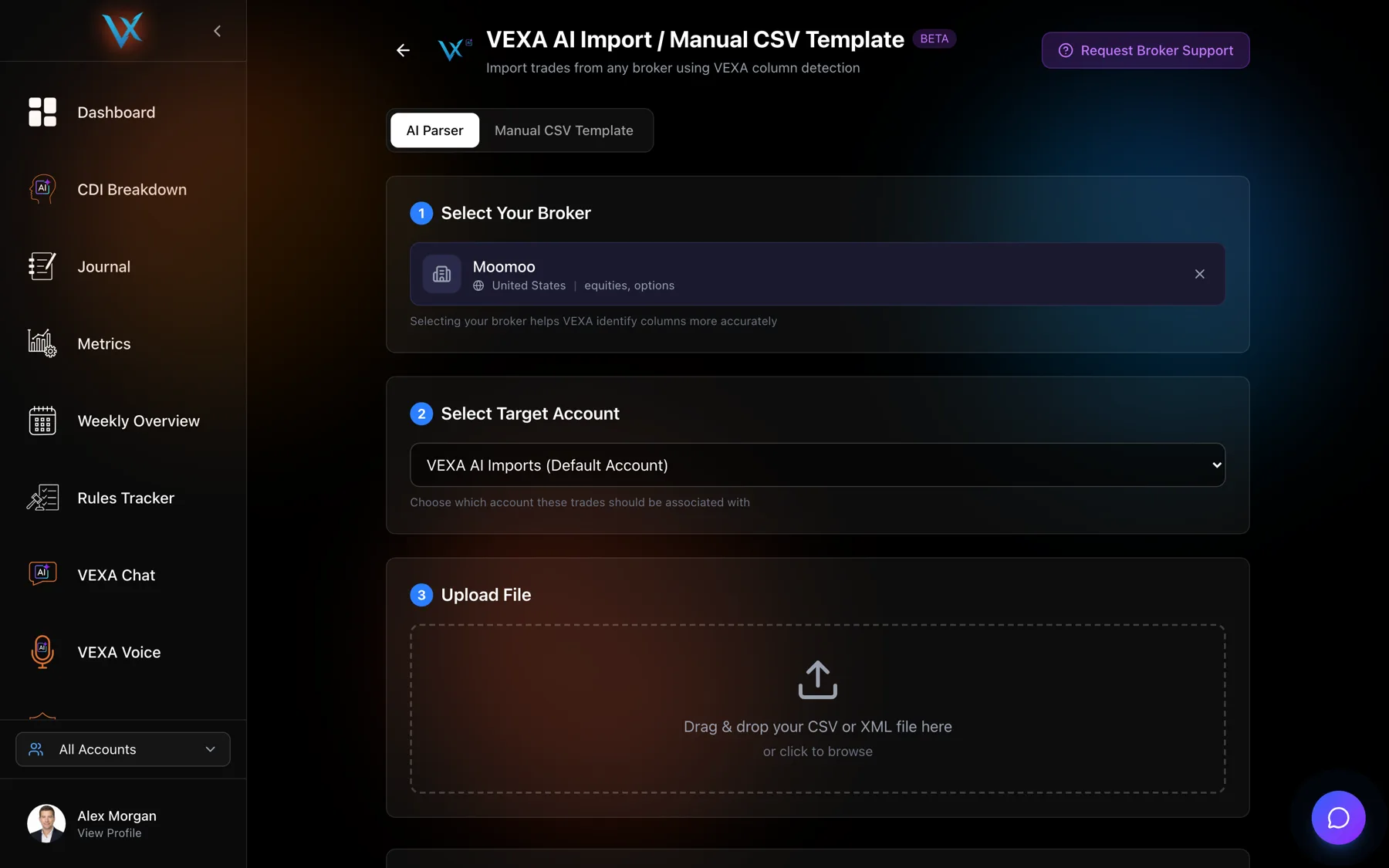
Accepted files
| Extensions | .csv, .htm, .html, .txt |
| Maximum size | 100 MB |
| Encodings | UTF-8, UTF-8 with a byte order mark, and UTF-16 |
| Separators | Commas, semicolons and tabs are all read |
Anything else is refused before it uploads, with a message naming the accepted types. Excel workbooks are the usual rejection. PropReports only exports to Excel, so open the file and save it as CSV before uploading. PDFs cannot be read at all.
MetaTrader exports are usually .htm or .html, and both are accepted as they come. Do not open
one in a spreadsheet and save it as CSV first. MetaTrader 5 writes UTF-16 HTML that VEXA reads
correctly, and a round trip through a spreadsheet is a good way to break it.
European exports that use semicolons instead of commas need no preparation. Neither do files with a few lines of header text before the real data, which VEXA strips.
The size ceiling
100 MB, checked in the app before the upload starts and again on the server after decoding. Multi-year exports from an active account can approach it.
If you hit it, export in smaller date ranges and upload each file. Overlapping ranges are safe, so do not try to make the windows meet exactly. See Re-uploading files and duplicate trades.
The one that confuses everyone: a failed upload that worked
The app stops waiting for an answer after five minutes. The server keeps working for up to nine. A genuinely large file can therefore show an error on screen while the import completes behind it.
If a big upload appears to fail, wait a minute and check your trades before doing anything else. If they are there, the import worked and only the reply was late. If they are not, upload again. Uploading the same file twice never doubles anything.
Upload error messages
| Message | What it means | What to do |
|---|---|---|
| No valid executions found in file after parsing and validation | The file was read and contained no usable fills. | Almost always the wrong report from your broker. See My import said success but nothing appeared. |
| File size exceeds 100MB limit | The file is over the ceiling. | Export a shorter date range. |
| Decoded file size exceeds 100MB limit | Compressed under the limit, over it once decoded. | Same fix. |
| Invalid IANA timezone | The timezone value sent with the upload was not a real zone name. | Set the timezone again from the picker rather than typing it. |
| fileName and fileContent are required | The file was not attached properly. | Pick the file again. |
| User must be authenticated | Your session expired mid-upload. | Sign in again and retry. |
| Upload failed unexpectedly | Something went wrong that has no specific handler. | Retry once. If it repeats, send the file and the broker name to support. |
Any raw technical error is rewritten into readable wording before you see it, with a fallback saying the file could not be imported and to check it and try again.
Errors you can hit elsewhere in VEXA
These are the app-wide error messages, including the two that come up around importing: a file that is too large, and a broker connection that has been lost.
| Code | What you see | What it means | What to do |
|---|---|---|---|
| auth/invalid-credential | Couldn't sign in | That email or password didn't match our records. | Try again or use Forgot Password to reset. |
| auth/user-not-found | No account found | We couldn't find an account with that email. | Check the email or create a new account. |
| auth/wrong-password | Couldn't sign in | That email or password didn't match our records. | Try again or use Forgot Password to reset. |
| auth/email-already-in-use | Email already in use | An account with this email already exists. | Sign in instead, or use a different email. |
| auth/weak-password | Password too weak | Please choose a stronger password. | Use at least 8 characters with a mix of letters and numbers. |
| auth/invalid-email | Invalid email | Please enter a valid email address. | No action needed. |
| auth/too-many-requests | Too many attempts | We've paused sign-in for a few minutes for your security. | Wait a moment and try again. |
| auth/network-request-failed | Connection trouble | We couldn't reach our servers. | Check your internet and try again. |
| permission-denied | Access denied | You don't have permission to do that. | Try signing out and back in. If it keeps happening, contact support. |
| unavailable | Connection trouble | We're having trouble reaching our servers. | Check your internet and try again. |
| deadline-exceeded | That took too long | The request timed out before we could finish. | Please try again. |
| resource-exhausted | You've hit a limit | You've reached the limit for this feature on your current plan. | Wait for your next reset or upgrade your plan. |
| file-too-large | File too large | That file is bigger than we can process. | Try a smaller file or split it into parts. |
| broker-disconnected | Broker disconnected | We've lost the connection to your broker. | Reconnect from your profile. |
| subscription-required | Pro feature | This feature is available on the Pro plan. | Upgrade to unlock it. |
| already-subscribed | Already subscribed | You already have an active VEXA subscription. | Manage or change your plan from your profile instead of starting a new checkout. |
| schedule-unavailable | Plan change not scheduled | We couldn't schedule this plan change, and no charge was made. | Please try again shortly or contact support. |
| default | Something went wrong | We hit an unexpected snag. | Please try again. If it keeps happening, contact support. |
What you should see
A result panel naming the detected format, counting imported trades, duplicates skipped, open positions saved and any rows that could not be read. While it runs, a progress display steps through the stages with live counters, and the screen stays blocked so you do not navigate away mid-import. Large files can take a minute.
Your uploaded files
The original file is kept for 30 days and then deleted automatically. That window matters if you ask support to look at an import: after 30 days the file is gone and the investigation has to start from your data instead.
If it doesn’t work
- The file is rejected before uploading. Check the extension against the table above.
- The upload works and the trades do not appear. See My import said success but nothing appeared.
- Some rows failed. The result panel lists them with a reason each. Fix those rows and upload again. The rows that succeeded the first time are skipped.
Related
Still stuck? Email support@vexatrade.ai.