Read a journal day card
Every number on a Journal day: the header P&L, the intraday curve, the metric tiles, and what the expanded view adds.
On this page
What this does
A day card is one trading day in full: what you made, how you got there through the session, what your scores were, and what you wrote about it.
Before you start
The card only exists for days that have something on them: a trade, a journal entry, or a Showed Up mark.
The numbers, and how they are worked out
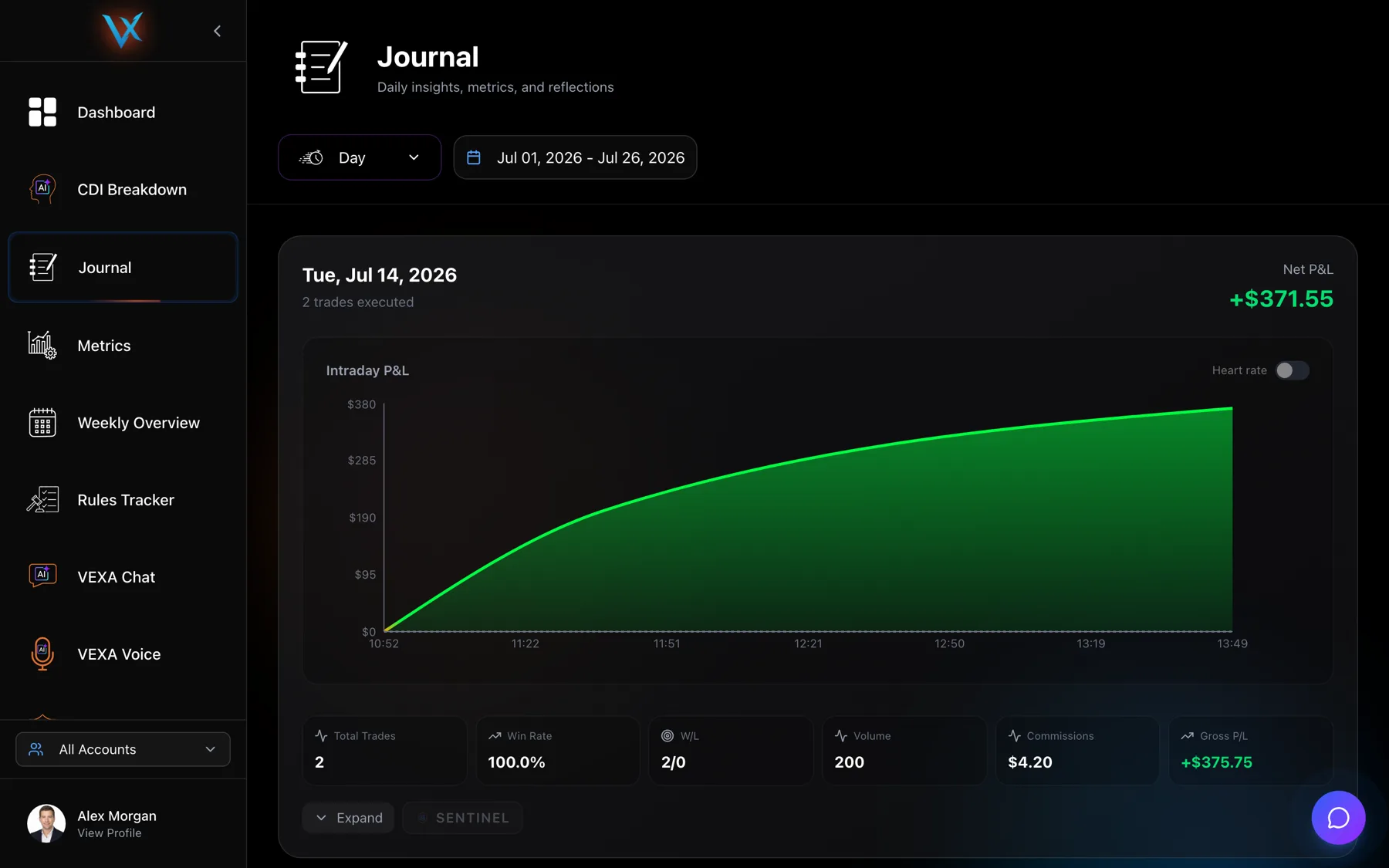
Net P&L in the header is the money you kept, after commissions. Trade P&L already has commission subtracted.
Gross P/L, on the web card, is the money before costs:
gross P/L = Σ (trade P&L + trade commission)The gap between the two tiles is exactly what the day cost you in fees.
Win rate on a day card is the share of that day’s trades that made money:
win rate = winning trades / all trades on the dayW/L is a count of winners against losers. Break-even trades count as losers in this tile. A day with 4 winners, 2 losers and 1 flat trade reads 4W / 3L. The same day reads differently on the Trades page, which drops break-evens from both sides.
The intraday P&L chart is a running total through the session. It starts at a point labelled Start with a value of zero, anchored at your earliest entry time, then adds one point per trade close. Trades closing in the same minute get labels down to the second so they do not stack.
Steps
- Open Journal from the sidebar and stay in Day.
- Read the header: the date,
N trades executed, and net P&L. - Read the six tiles: Total Trades, Win Rate, W/L, Volume, Commissions and Gross P/L.
- Press Expand to open three more columns: Scores, Health and Journal.
- Scroll to the trades table for the day. Click a row to open Trade Analysis, which then walks only that day’s trades.
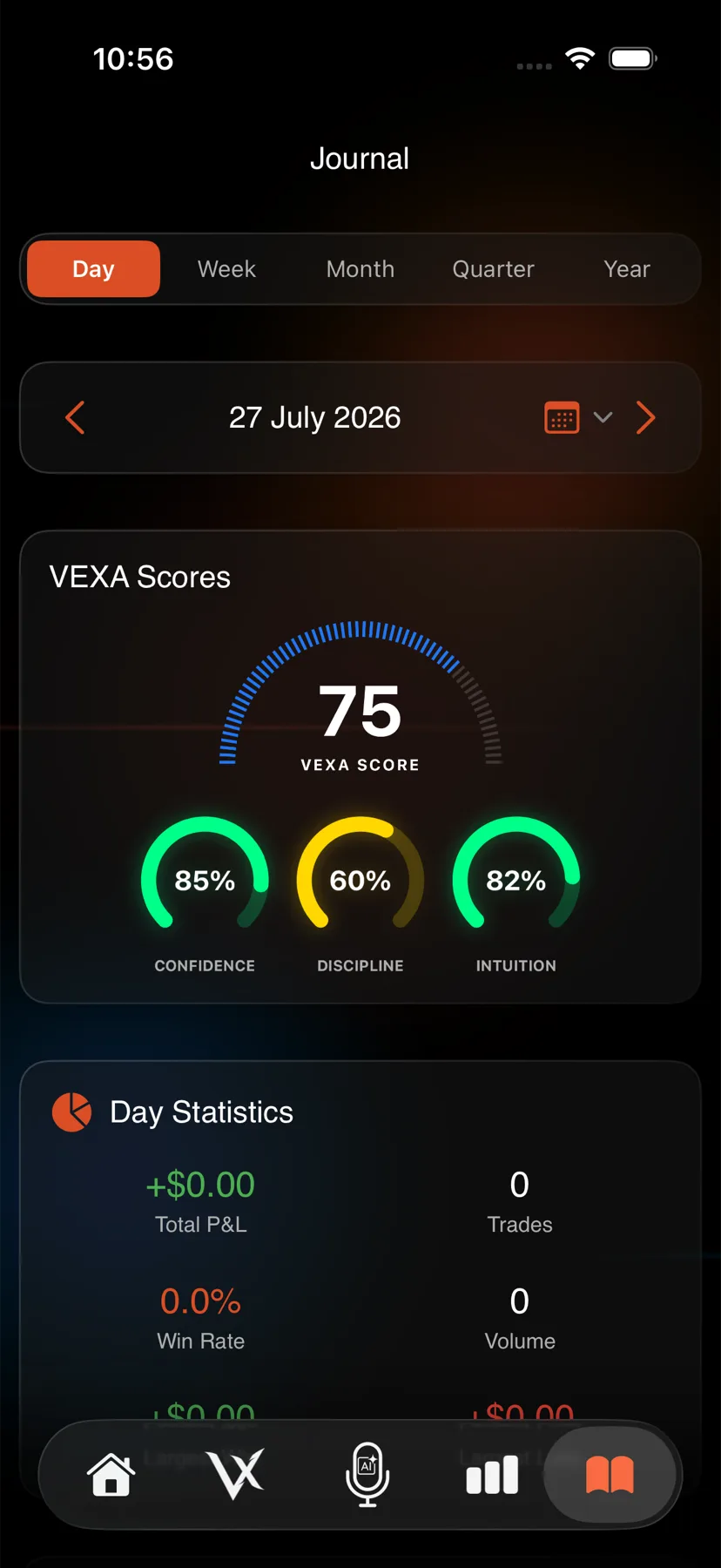
- Tap the book icon at the bottom of the screen and stay in Day.
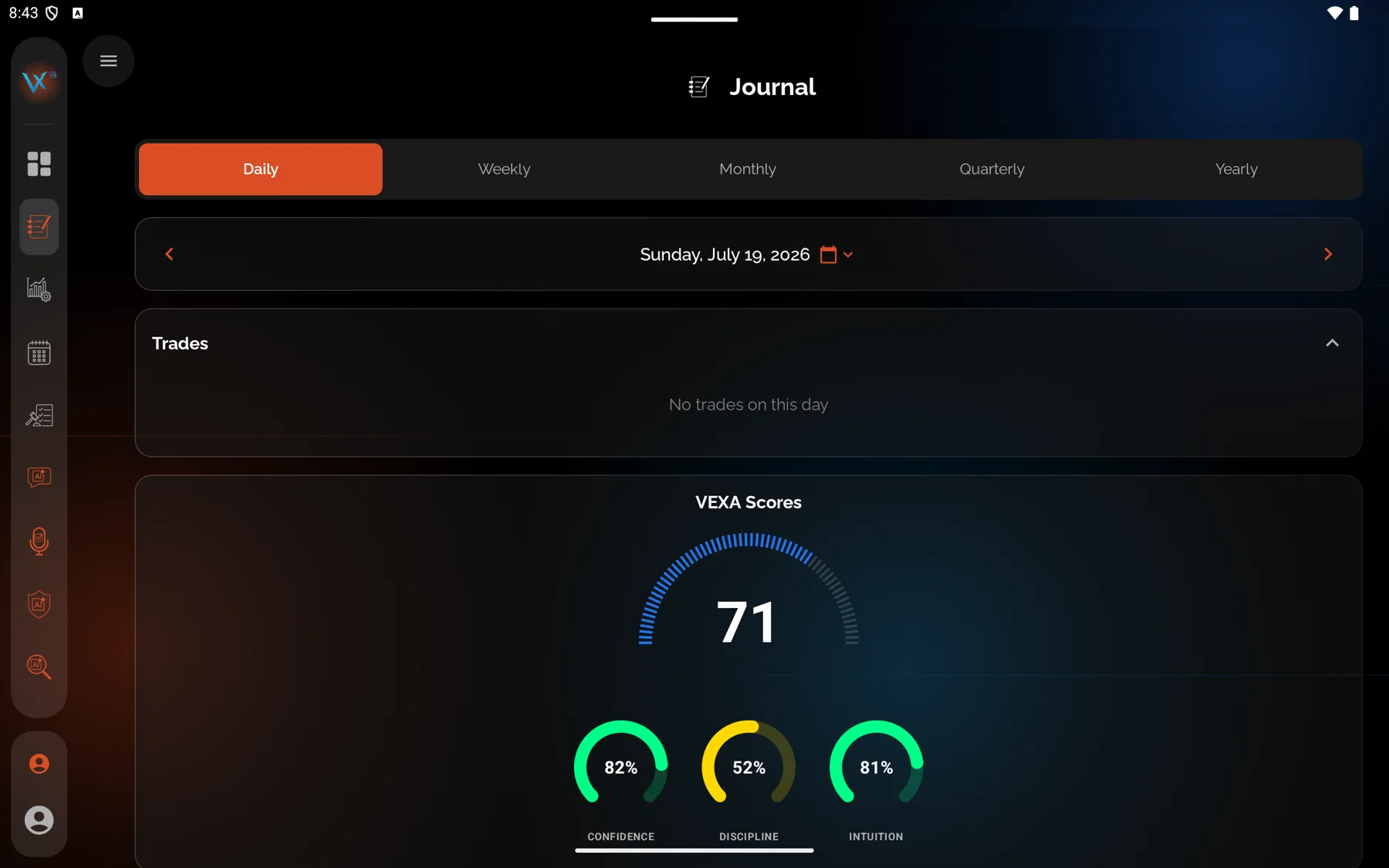
- The card runs top to bottom: VEXA Scores for that date, then Day Statistics (Total P&L, Trades, Win Rate, Volume, Largest Win, Largest Loss).
- Below that, the day’s trades with LONG or SHORT badges. Tap one to open Trade Analysis.
- Health Data shows Resting HR, Sleep and Activity for the day.
- Daily Reflection and the Intraday P&L chart sit at the bottom.
- Open Journal from the sidebar and stay in Day.
- Read the scores and day statistics at the top.
- The trades appear as a table with Symbol, Direction, Qty, Entry, Entry Time, Exit, Exit Time and P&L rather than as cards.
- Health has its own card, and heart rate gets a second card of its own alongside the intraday P&L chart.
- The mood row and the reflection editor sit at the bottom.
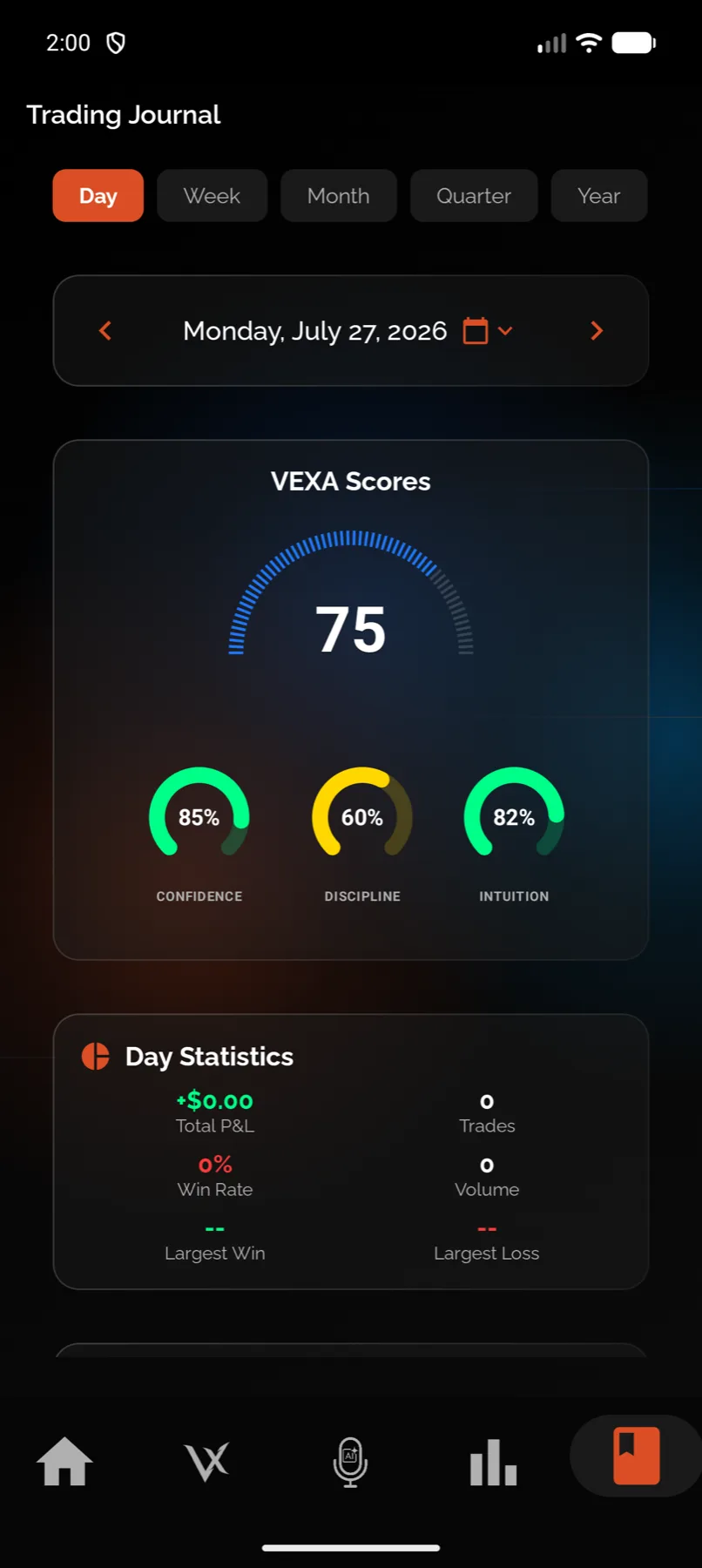
- Tap the book icon at the bottom of the screen and stay in Day.
- Use the date row at the top to pick the day.
- The VEXA Scores card shows the gauge and the three rings for that date.
- Day Statistics, then the Trades card, sorted by entry time.
- Intraday P&L, then Health (Resting HR, Sleep Hours, Daily Steps), then Daily Reflection, VEXA Summary and the mood row.
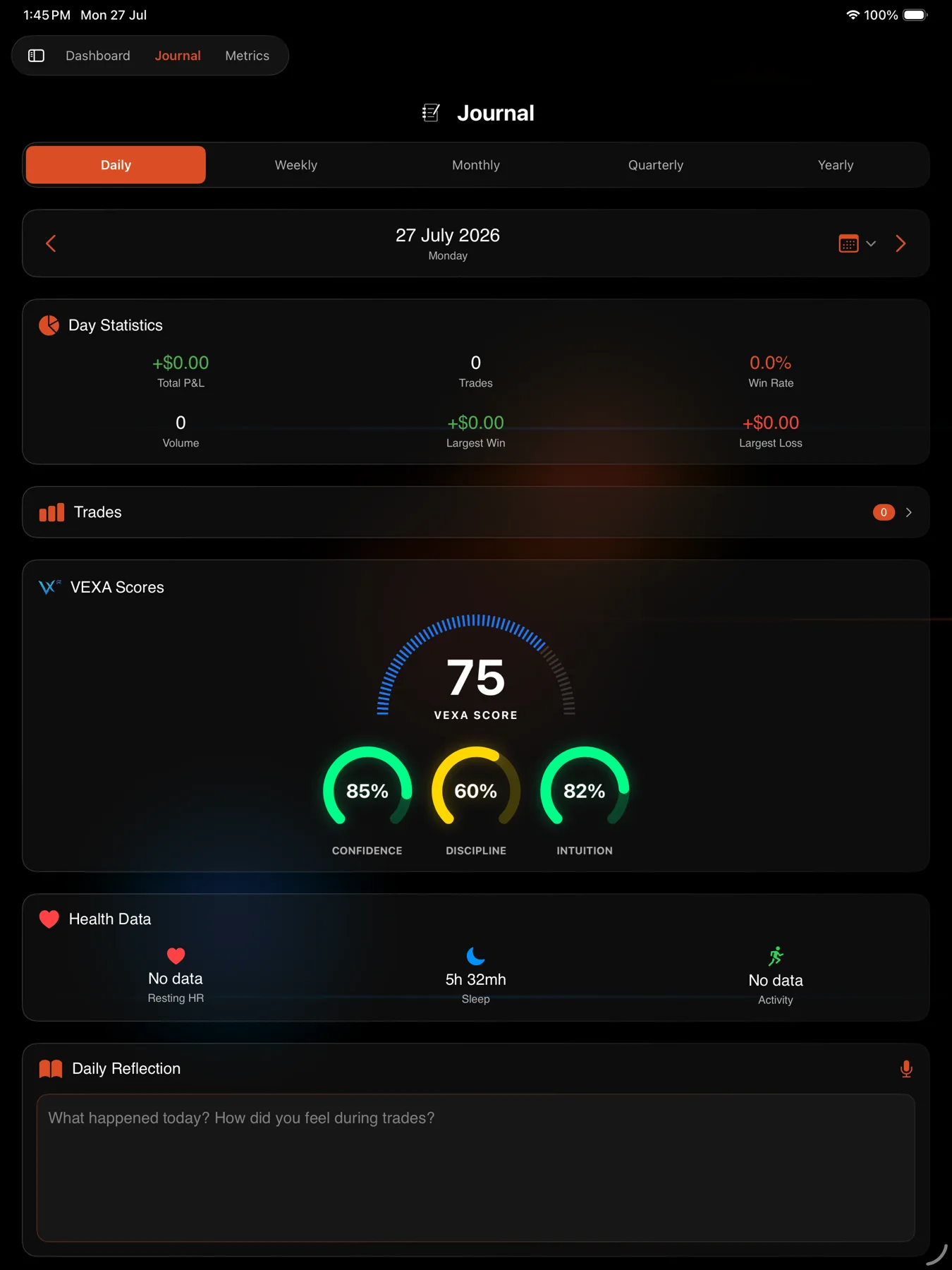
- Open Journal from the sidebar and stay in Day.
- Use the date row at the top to pick the day.
- The layout matches the phone in a two-pane arrangement: scores, day statistics, trades, the intraday chart, health, reflection, summary and mood.
- Tap a trade to open Trade Analysis.
What the expanded view adds on the web
| Column | What is in it |
|---|---|
| Scores | VEXA Score, Confidence, Discipline and Intuition for that date. Days before scoring started read N/A. |
| Health | Sleep, HRV and Recovery. These come from the previous calendar day’s health record, because the sleep that matters for Monday’s session happened on Sunday night. |
| Journal | A preview of your notes, a maximise icon for the full editor, and a mic button that hands the day’s context to VEXA Voice. |
What you should see
The header P&L colour matches the sign of the day. The intraday curve ends at the same number as the header. If it does not, you are looking at a day where an open position is being counted somewhere else.
A day you marked as Showed Up renders differently on the web: an eye icon, a Showed Up pill, the subtitle “No trades taken - discipline day”, and a Discipline Day panel. See Mark a Showed Up day.
If it doesn’t work
- The W/L tile disagrees with the Trades page. It does, by design. Break-even trades are losers here and are excluded there.
- Health is blank. Health numbers come from Apple Health on iPhone or Health Connect on Android. The web can display them but never collects them.
- The scores read
N/A. No score was calculated for that date. See Why my score shows ”- -”.
Related
Still stuck? Email support@vexatrade.ai.