Portfolio: your open positions
Read the four summary tiles, filter and sort your open positions, and understand which positions are counted in the totals and which are left out.
On this page
What this does
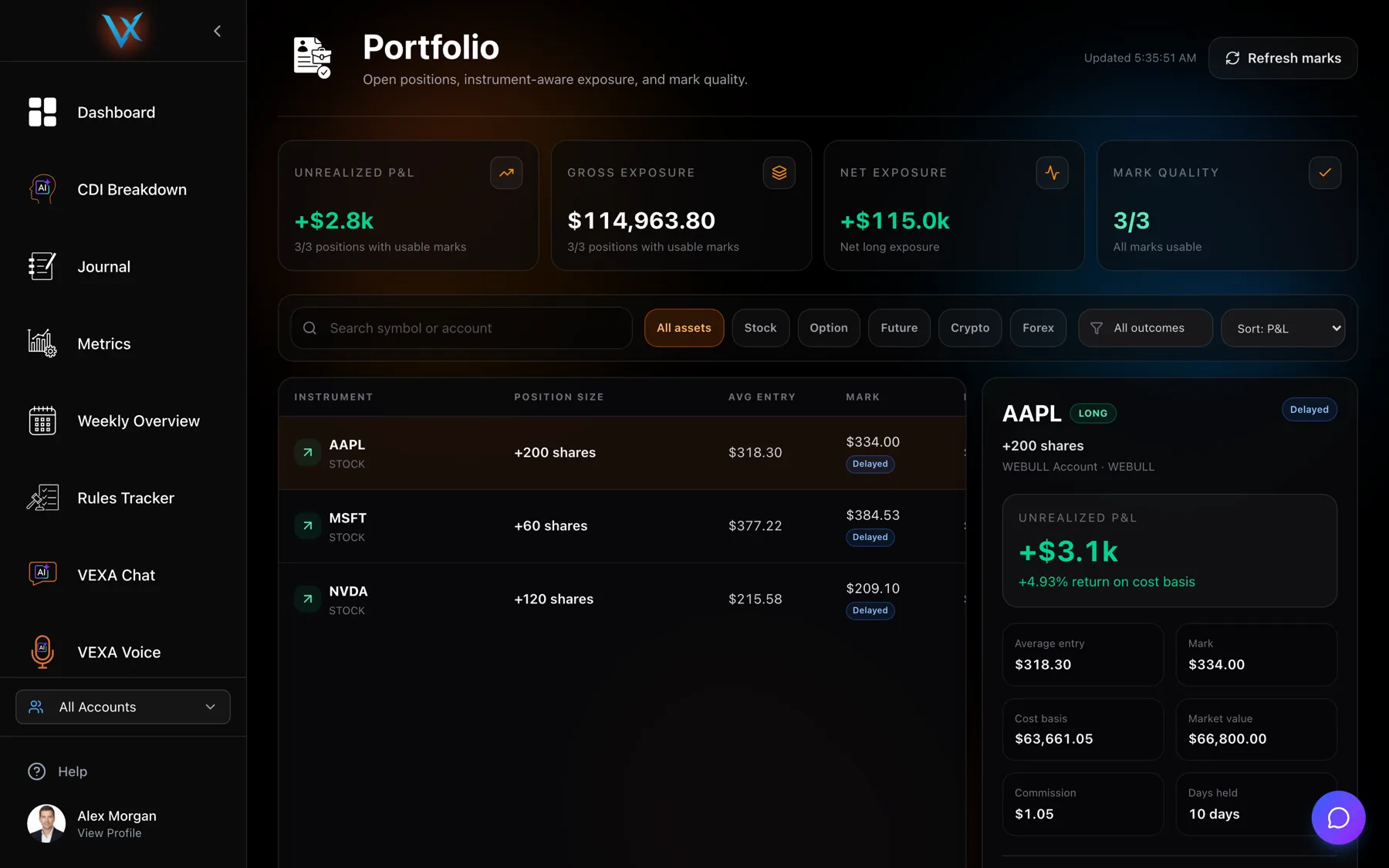
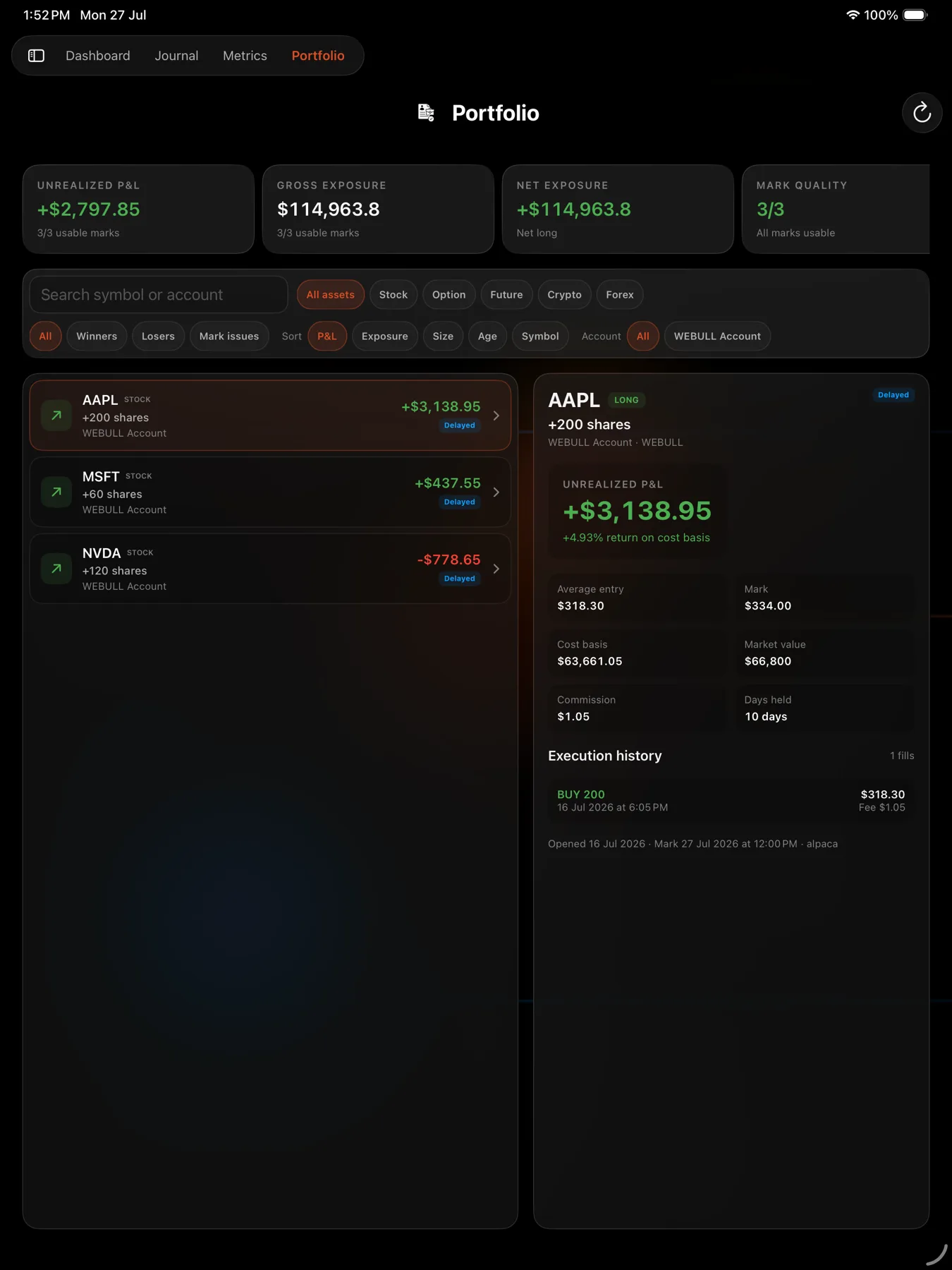
Portfolio is the screen for what you are still holding. Everywhere else in VEXA counts closed trades. This one counts open ones, marked to the latest price VEXA can get.
Before you start
- Portfolio is not on iPhone or Android phone. It is a web, iPad and Android tablet screen. On a phone, open VEXA in a browser.
- Positions appear automatically. They are what is left over once VEXA has matched your imported fills into completed trades, so anything unmatched at the end of a sync shows up here.
Steps
- Open Portfolio in the sidebar.
- Read the four tiles across the top.
- Use the search box, the asset pills and the outcome and sort controls to narrow the list.
- Click a row to open its detail panel on the right.
- Press Refresh marks to re-price everything now.
- Open Portfolio in the sidebar.
- Read the summary strip across the top.
- Use the search field, the asset chips, the outcome control and the sort control to narrow the list.
- Tap a row to open its detail pane.
- Open Portfolio in the sidebar.
- Read the summary cards across the top.
- Use the search field, the asset chips, the outcome chips, the sort chips and the account row to narrow the list.
- Tap a row to open the detail pane on the right.
- Tap the refresh icon in the header to re-price everything now.
The four tiles
| Tile | What it adds up |
|---|---|
| Unrealized P&L | paper profit and loss across every position VEXA can price |
| Gross exposure | the total market value of those positions |
| Net exposure | long exposure minus short exposure, labelled net long or net short |
| Mark quality | how many of your positions have a price VEXA trusts |
The first two tiles skip positions VEXA cannot price, and their subtitle says so, for example seven of nine positions with usable marks. That is deliberate: including an unpriced position as zero would quietly understate your exposure.
The numbers on a position
cost basis     = size x contract multiplier x average entry + commission
market value   = size x contract multiplier x mark price
unrealized P&L = size x contract multiplier x (mark - average entry) - commission
return %       = unrealized P&L / cost basis x 100
Return is measured against what the position cost to open, not against your account. Options label their market value as premium value, and show the share equivalent beside the contract count. Futures show the value per point.
Days held counts whole days since the position opened.
The detail panel
Opening a position shows its direction, its mark status, the entry and mark prices, cost basis, market value, commission and days held, then its execution history: every fill with its side, quantity, timestamp, price and fee.
Positions imported before VEXA stored fill-level history show a line saying execution history is unavailable for that legacy position. Nothing is wrong with the position; the fills were never captured.
What you should see
A list of what you are actually holding, with an amber banner at the top if any position has a pricing problem. The banner names the count, for example two positions with a stale or unavailable mark, and states that those values are excluded from the totals.
An account with nothing open shows an empty state offering to connect a broker or import trades.
If it doesn’t work
- A position is missing. It closed, or the fills that would open it have not been imported. Sync the broker and look again.
- A position you closed is still listed. The closing fill has not reached VEXA. Sync, and if it still stands, edit or delete it on the web. See Edit or delete an open position.
- Values are blank. Read Why some position values are blank.
- The mark looks old. Read Mark quality.
Related
Still stuck? Email support@vexatrade.ai.