Pattern Recognition
What the strengths and opportunities lists are built from, what the impact badges mean, and how to get from a pattern to the trades that produced it.
On this page
What this does
Pattern Recognition reads your recent trading and names what keeps happening. It produces two lists: habits that make you money and habits that cost you money, each with the trades behind it.
Before you start
- Pattern Recognition needs Pro.
- It analyses roughly the last 90 days of trading. A new account has nothing to work from and says so.
- It is written by VEXA’s AI from your own trade history, so it describes your behaviour rather than the market’s.
Steps
- Open Pattern Recognition in the sidebar.
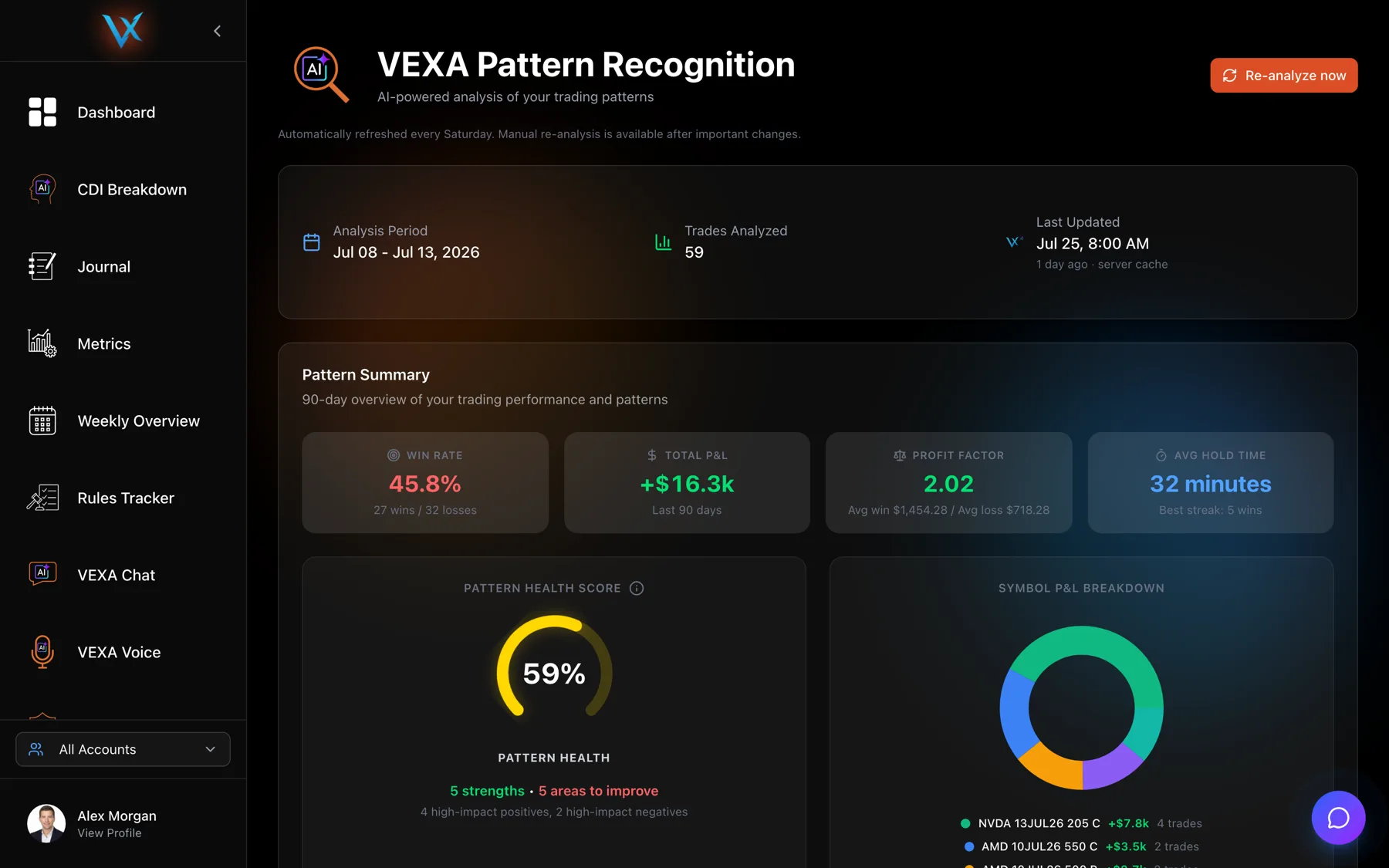
- Read the analysis strip at the top: the period covered, how many trades were analysed, and when it last ran.
- Read Strengths to Leverage on one side and Areas to Improve on the other.
- Click a supporting-trade pill on a card to open that trade or that day.
- Press Re-analyze now to run it again.
- From Home, tap the Pattern Recognition card.
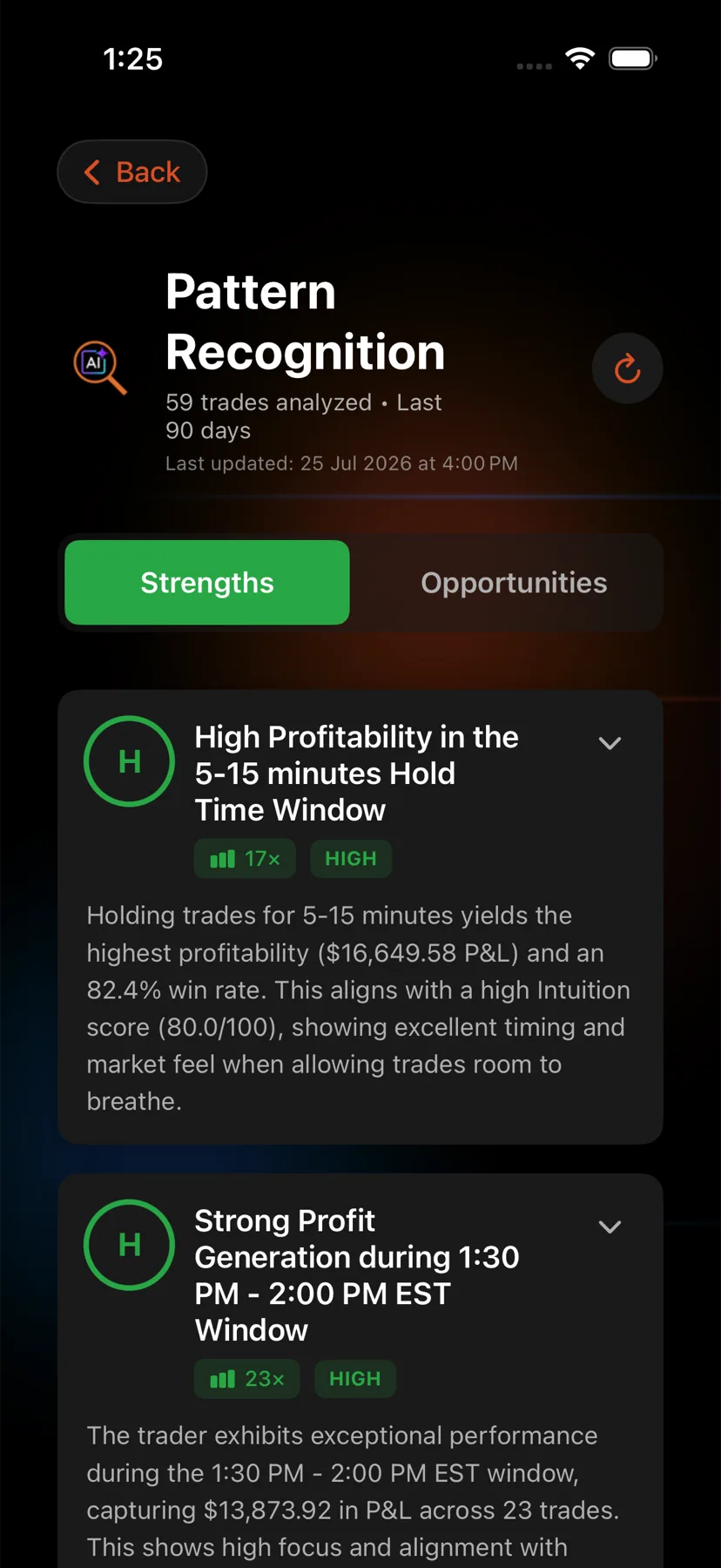
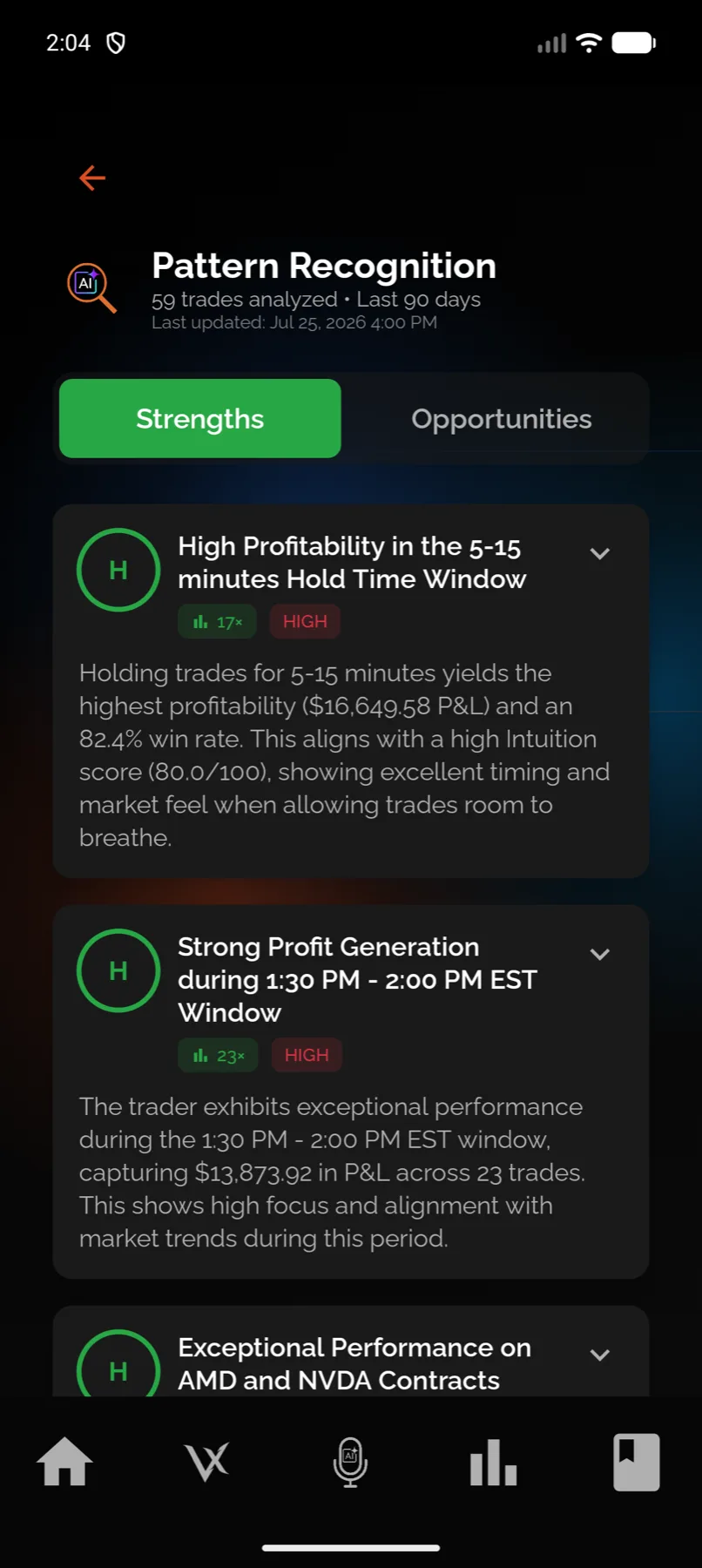
- Switch between Strengths and Opportunities with the toggle.
- Expand a card to read the examples from your trading.
- Pull down to re-analyse, or use the re-analyse control in the header.
- Open Pattern Recognition in the sidebar.
- Switch between Strengths and Opportunities with the toggle.
- Expand a card to read the examples from your trading.
- Pull down to re-analyse.
- From Home, tap the Pattern Recognition card.
- Read the header: the trade count analysed, the period and when it last ran.
- Switch between Strengths and Opportunities with the toggle.
- Expand a card to read the examples from your trading.
- Pull down to re-analyse.
- Open Patterns in the sidebar.
- Switch between Strengths and Opportunities with the toggle.
- Expand a card to read the examples from your trading.
- Pull down to re-analyse.
What is on a pattern card
| Part | What it tells you |
|---|---|
| Title and description | the habit, named in plain terms |
| Impact badge | high, medium or low, for how much this one is worth |
| Frequency | how many times it was observed in the analysed period |
| Examples | up to three occurrences taken from your own trades |
| What to do next | the recommendation |
| Supporting trades | pills that open the actual trades, on the web |
The impact badge is graded differently for a strength and a weakness. A high-impact strength is one worth protecting. A high-impact weakness is the one to fix first.
The summary card on the web
Above the two lists, the web shows a 90-day overview: win rate, total P&L, profit factor, average trade duration, a breakdown of performance by symbol, and your longest winning and losing streaks.
It also shows a health score out of 100. That figure is built from the pattern list itself, adding points for positive patterns and subtracting for negative ones, weighted by impact. It is not your VEXA Score and it does not feed it. They are two different measures that happen to sit near each other.
What you should see
Two columns with cards in them, and a last-updated time near the top. One column can legitimately be empty, in which case it says no patterns of that type have been identified yet.
An account with too little history shows a “No Trading Data” state asking for more completed trades. That is the correct response to an empty history, not an error.
If it doesn’t work
- The screen is locked. Pattern Recognition needs Pro. See Edge (Free) and Pro compared.
- The analysis looks weeks old. See Why my patterns look old.
- It says there is not enough data. Import more completed trades. Patterns need repeated behaviour, and a handful of trades cannot demonstrate a habit.
- The whole screen fails on your phone but works on the web. Update the app. Older builds can fail on newer analysis results.
Related
Still stuck? Email support@vexatrade.ai.