Create a playbook
Write down a setup as a named playbook with its entry and exit criteria, so VEXA can tell you later whether that setup actually makes money.
On this page
What this does
A playbook is one of your setups, written down. It has a name, the criteria you need to see before you take it, the criteria you need to see before you get out, and the market conditions it works in.
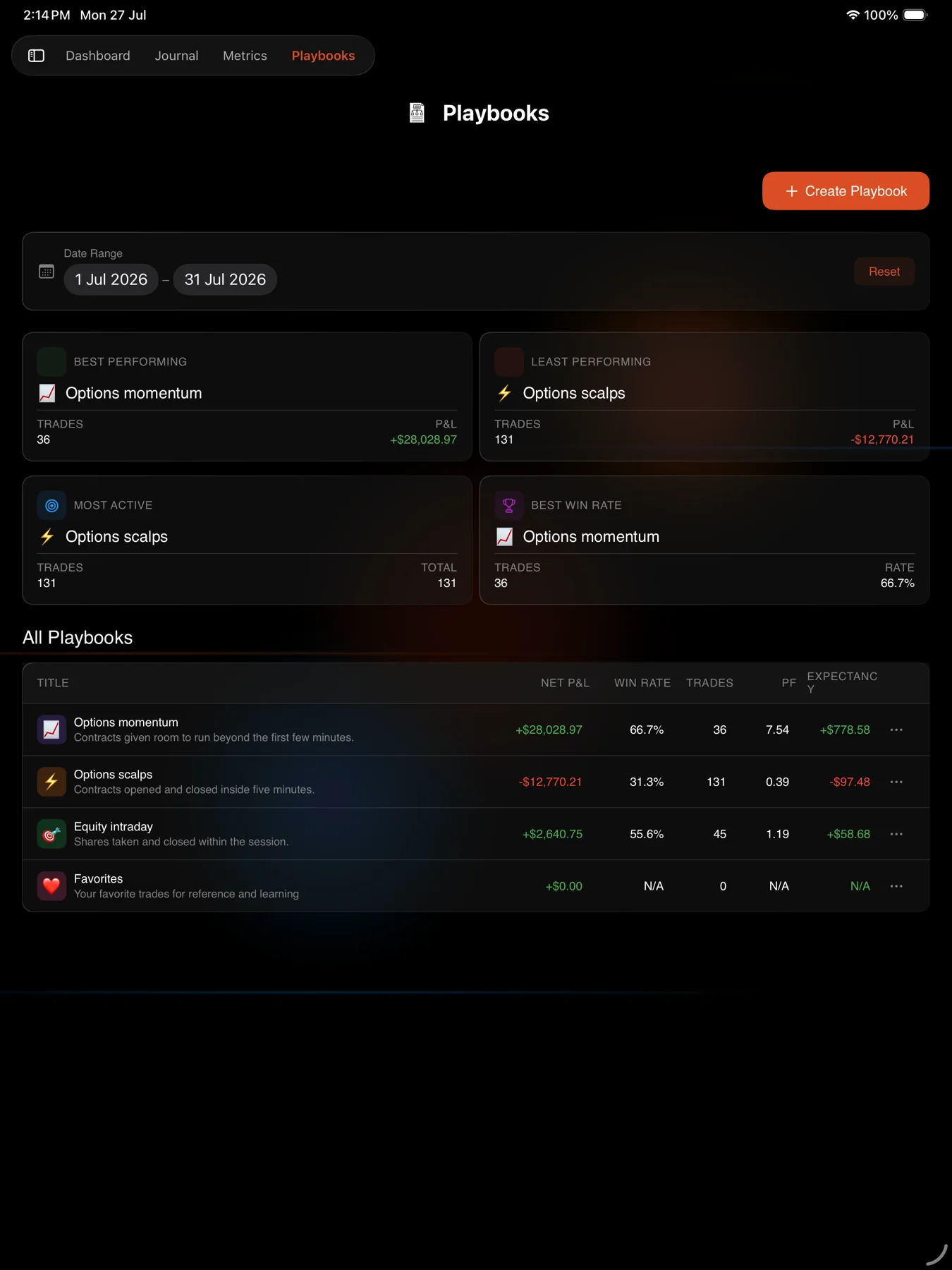
Once trades are assigned to it, VEXA reports what that setup is worth: its expectancy, its profit factor, and the times of day it works best.
Before you start
Write the criteria as things you can tick. Every criterion becomes a checkbox on each trade you assign, so “Price breaks above VWAP” is useful and “good setup” is not.
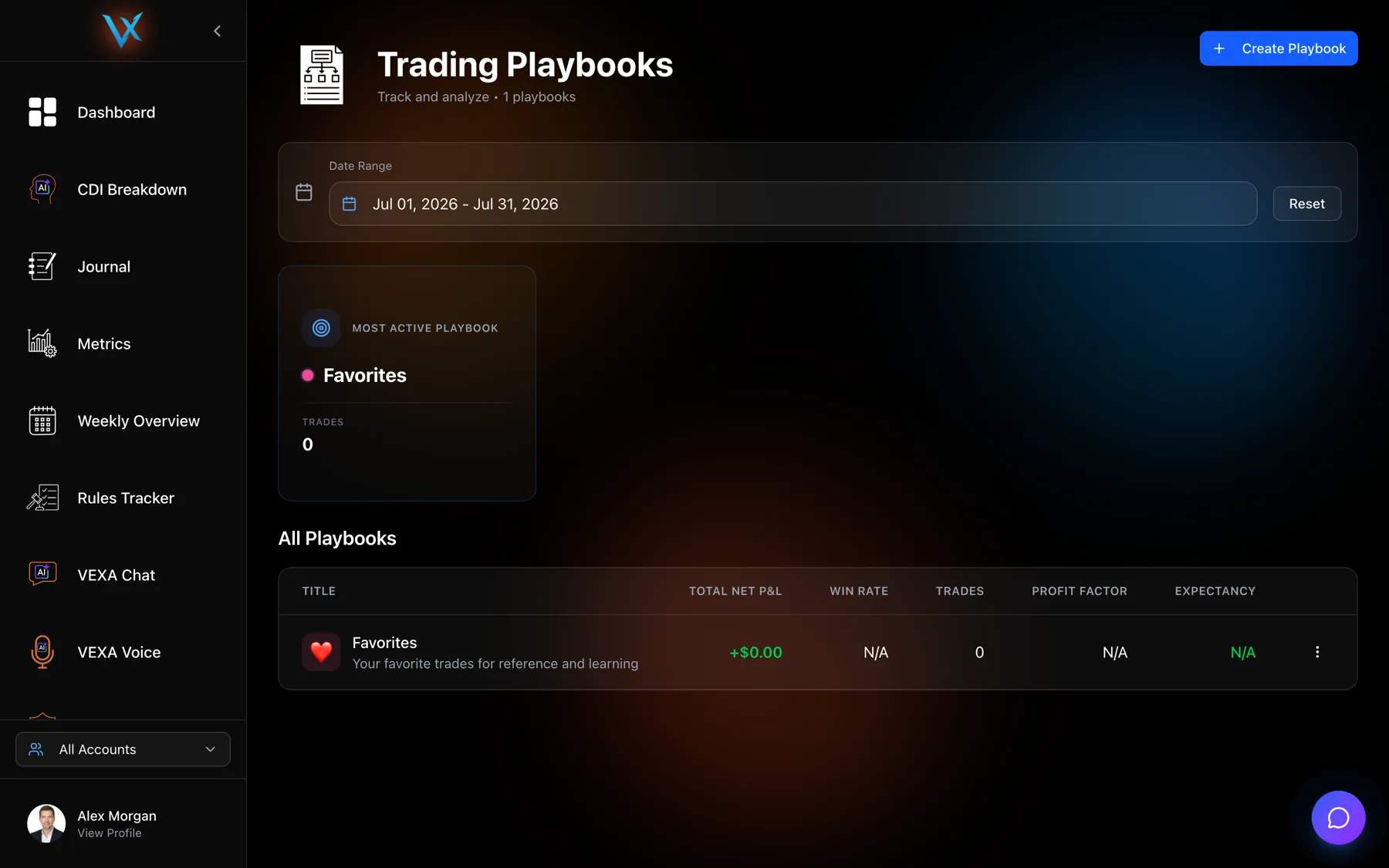
A Favorites playbook already exists. VEXA creates it for every account the first time you open the Playbooks page. It is the playbook the heart button on a trade writes to, and it deliberately has no criteria.
Steps
- Open Playbooks in the sidebar.
- Click Create Playbook.
- Give it a Name, for example
Opening Range Breakout. - Add a short Description.
- Pick a Color and an Icon so it is recognisable in charts and lists.
- Add your Entry Criteria one line at a time, for example
Price breaks above VWAP. - Add your Exit Criteria, for example
2:1 risk/reward reached. - Add the Market Conditions it needs, for example
SPY trending upward. - Save. The playbook appears in the All Playbooks table with no trades against it yet.
- Tap Playbooks in the sidebar.
- Start a new playbook.
- Fill in the name, description, colour and icon.
- Add your entry criteria, exit criteria and market conditions, one line at a time.
- Save.
- Tap Playbooks in the sidebar.
- Start a new playbook to open the form.
- Fill in Playbook Name and Description, then pick a colour and an emoji.
- Add rows to Entry Criteria, Exit Criteria and Market Conditions. Each list has its own add and remove controls.
- Save.
How many playbooks to make
Fewer than you think. A playbook is only useful once it has enough trades in it to say something, and splitting one setup across four near-identical playbooks means four samples too small to read.
Start with the two or three setups you actually trade. Add more when a real distinction appears.
Editing and deleting
Editing a playbook changes its criteria from now on. Trades already assigned keep their ticked criteria as they were.
Deleting a playbook asks you to confirm, and the dialog says exactly what happens: every trade is unassigned from the playbook, and the action cannot be undone. The trades themselves are never deleted.
What you should see
The new playbook in the All Playbooks table with zero trades, no P&L and no win rate. Its numbers fill in as you assign trades. See Assign trades to a playbook.
If it doesn’t work
There is no Playbooks screen on your phone. That is correct. Creation is web and tablet only.
A criterion will not add. Each criterion is its own row. Use the add control for a new line rather than typing everything into one field.
A new playbook shows no stats. It has no trades yet. Assign some.
Related
Still stuck? Email support@vexatrade.ai.