Chat with VEXA
Open a conversation with the coach on any surface, and understand why its answers change depending on the page you are on.
On this page
What this does
Opens a typed conversation with your coach. You ask about your trading, it looks up your real numbers and answers with them.
Before you start
On iPhone, iPad, Android and Android tablet, chat is blocked until you agree to the AI consent dialog. It appears the first time you open chat. On web, text chat is not gated by consent. See Give or revoke AI consent.
On web the full chat page needs VEXA Pro. A free account gets a locked screen offering Pro instead of the composer, but still gets 5 chat messages a month from the chat bubble and the mobile apps.
Chat draws on your imported trades. With nothing imported, the coach can talk but has nothing of yours to talk about.
Steps
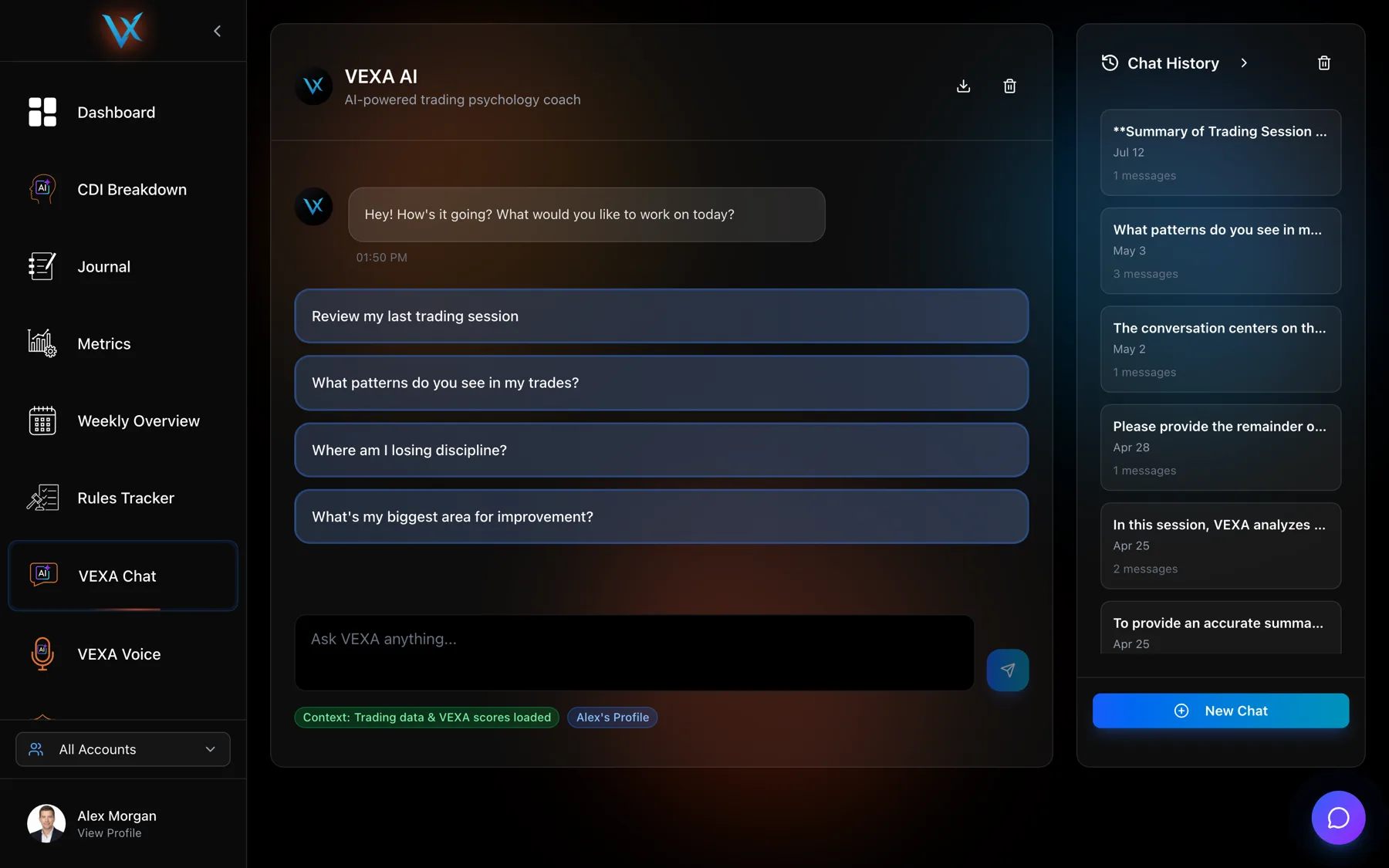
- Click VEXA Chat in the sidebar.
- Type into the composer at the bottom, or click one of the four suggested questions.
- Press Enter to send.
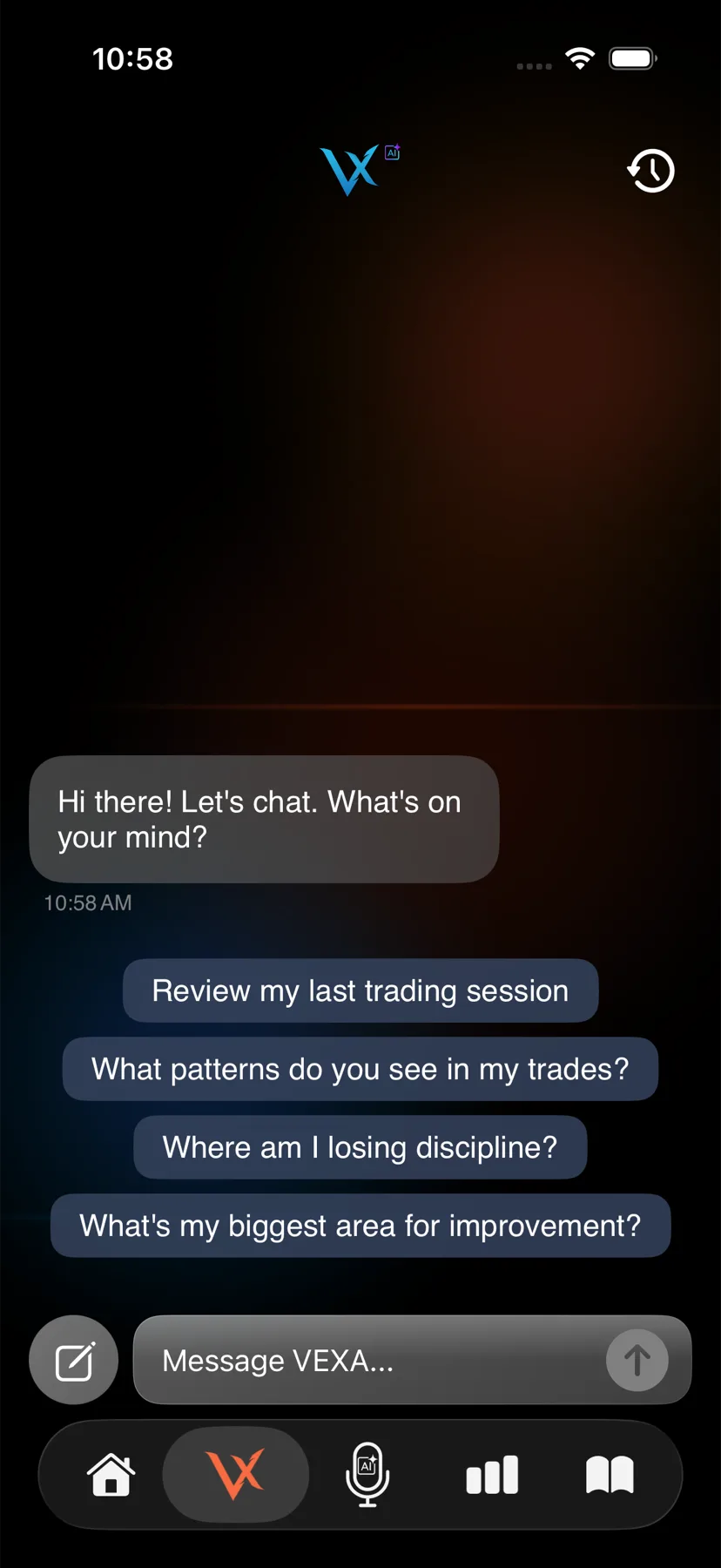
- Tap the second tab in the bar at the bottom, the one with the VEXA logo mark.
- Type your question, or tap one of the four suggestions.
- Tap send.
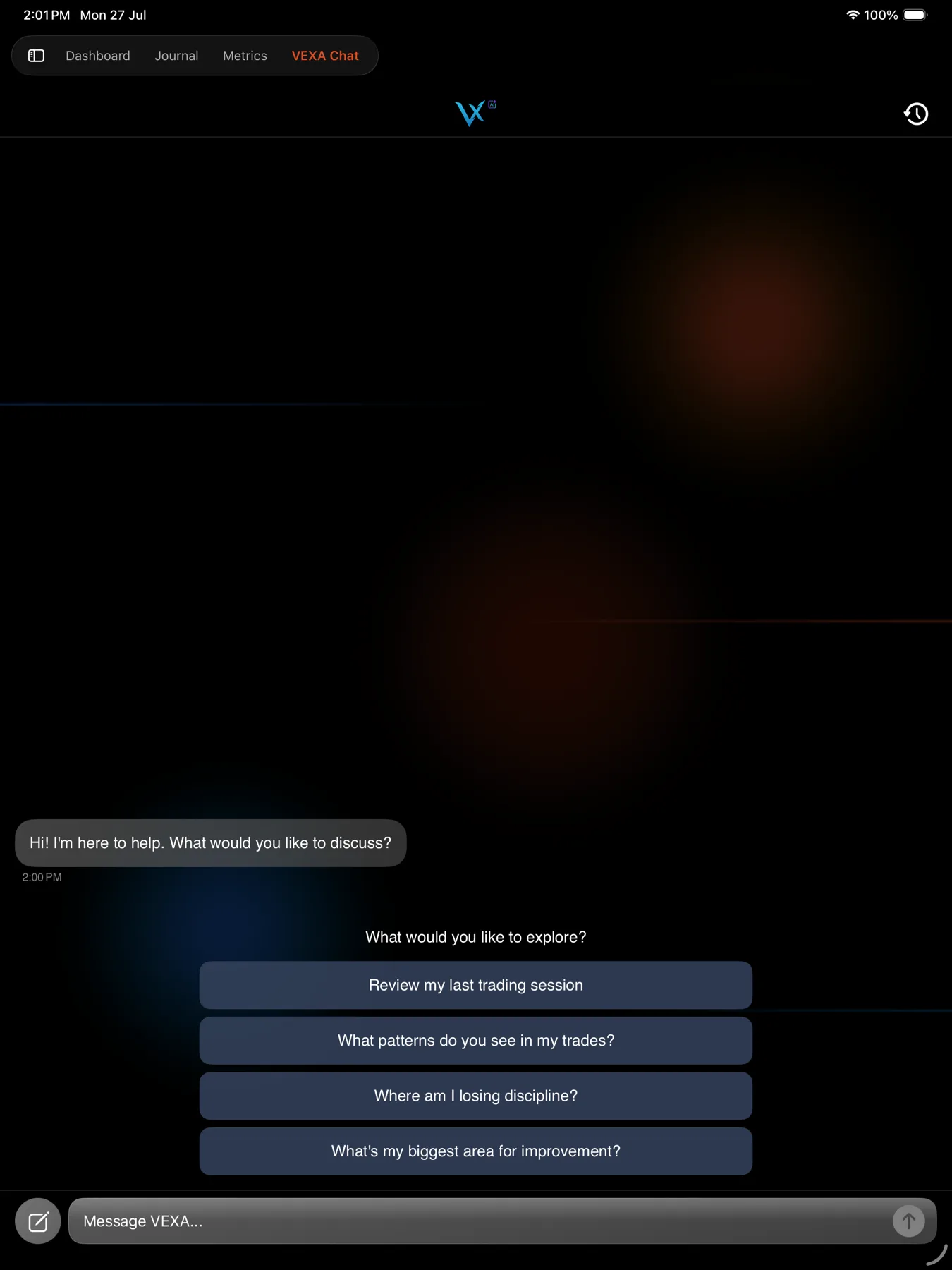
- Tap VEXA Chat in the sidebar.
- Type your question, or tap one of the four suggestions.
- Tap send.
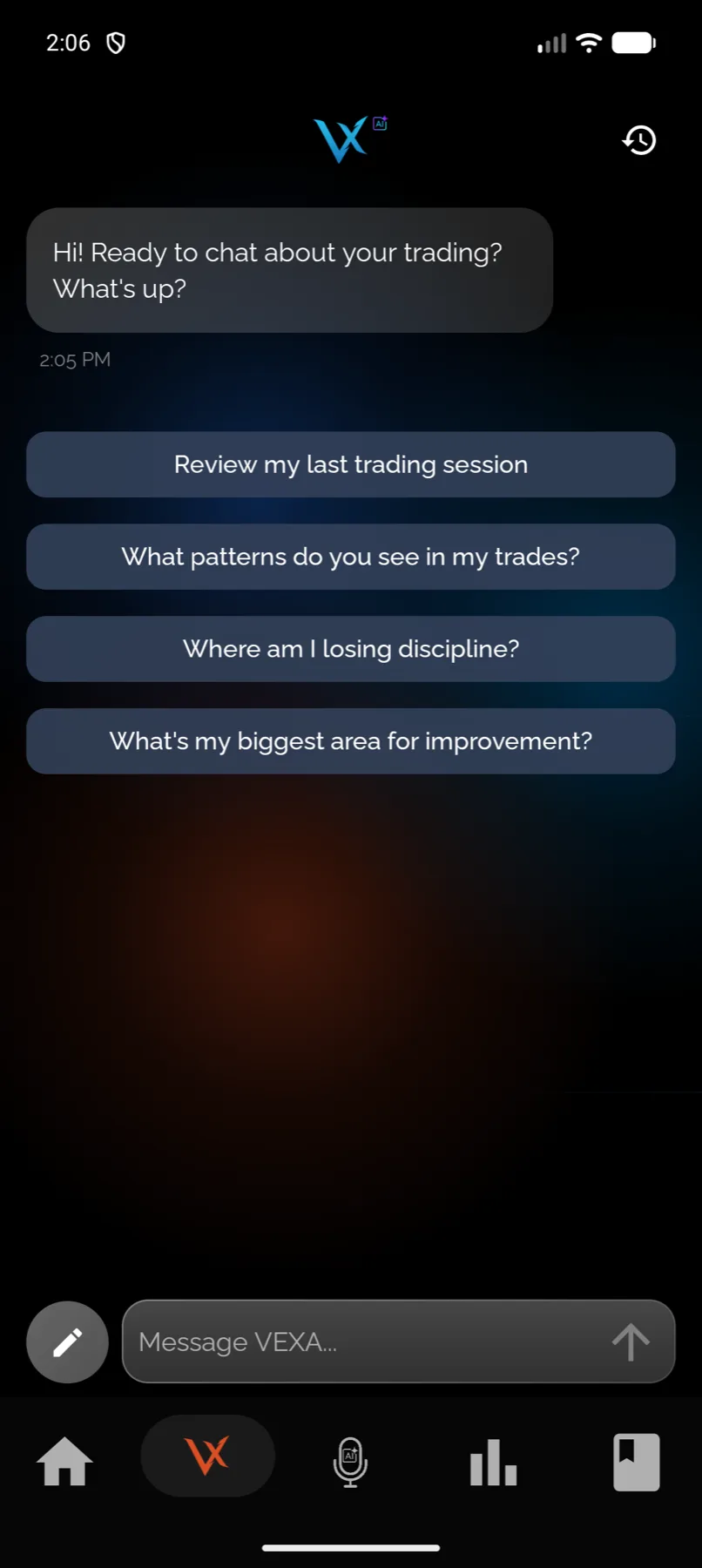
- Tap the second tab in the bar at the bottom, the one with the VEXA logo mark.
- Type your question, or tap one of the four suggestions.
- Tap send.
- Tap VEXA Chat in the sidebar.
- Type your question, or tap one of the four suggestions.
- Tap send.
The chat bubble on the web app
Every page of the web app carries a chat bubble in the bottom right. It opens a compact chat so you do not have to leave the page you are reading to ask about it.
The bubble is a scratchpad, not your chat history. What you ask there is not saved as a conversation and will not appear in the list on the chat page. Use the full page for anything you want to keep.
The bubble also has a microphone toggle, which connects or disconnects a VEXA Voice session from where you are. It is not dictation, and it is the one control in the bubble that raises the AI consent dialog, because voice is gated on web even though text is not.
It knows which page you are on
Chat is told which screen you came from and what was on it, so you can ask about what you are looking at without describing it. The screens that pass their contents through are your dashboard, your trades, Metrics, Pattern Recognition, Journal and Playbooks, on the surfaces where those exist.
Ask “why are these losing” while looking at a filtered list of trades and it means those trades. Ask the same thing from your dashboard and it answers about your day.
What you should see
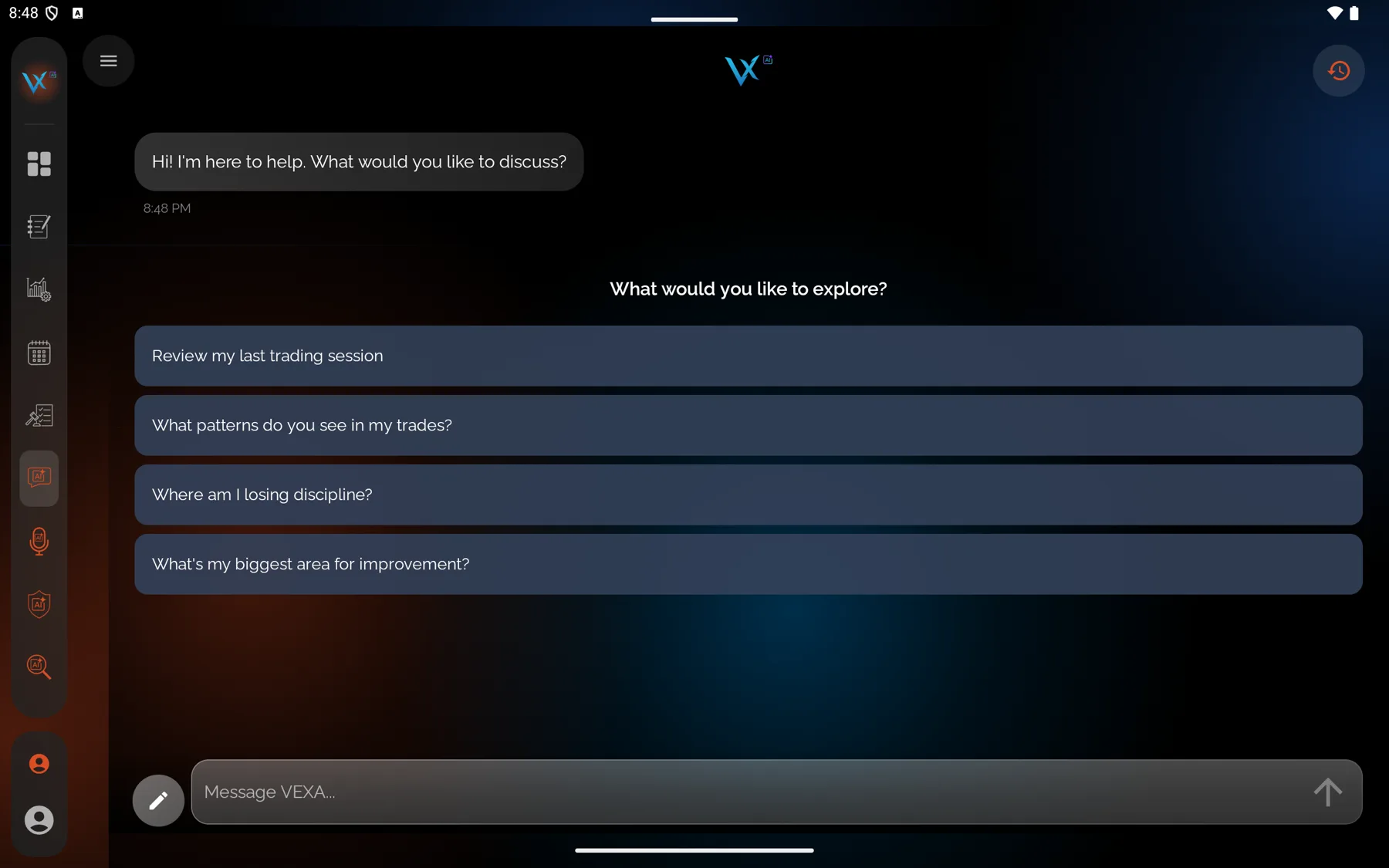
A greeting, then four suggested questions:
- Review my last trading session
- What patterns do you see in my trades?
- Where am I losing discipline?
- What’s my biggest area for improvement?
Answers stream in a few words at a time rather than appearing whole. While one is being prepared you see a line that changes every couple of seconds, along the lines of “Analyzing your trades…” or “Checking health correlations…”. That is normal, and it means look-ups are running.
If it doesn’t work
A consent dialog appears instead of the conversation. Agree to it, or see Give or revoke AI consent.
The web page shows a lock and an upgrade prompt. The full chat page needs VEXA Pro. The chat bubble and the mobile apps are the other ways in, and they still work for the free plan’s 5 messages a month.
“I apologize, but I’m having trouble connecting right now.” The connection dropped or the service is briefly unavailable. Send the message again.
“You’ve reached your AI chat quota for this period.” You are out of messages for the month. See Voice and chat limits.
“Couldn’t load your chat history.” The conversation list failed to load. Pull to refresh on mobile, or reload the page.
Related
Still stuck? Email support@vexatrade.ai.